Apple Tests Background Security Updates in iOS 26.3 and macOS Tahoe 26.3
Apple is introducing a new Background Security Improvement feature in iOS 26.3 and macOS Tahoe 26.3, designed to deliver critical security updates between major releases. Here’s what you need to know.
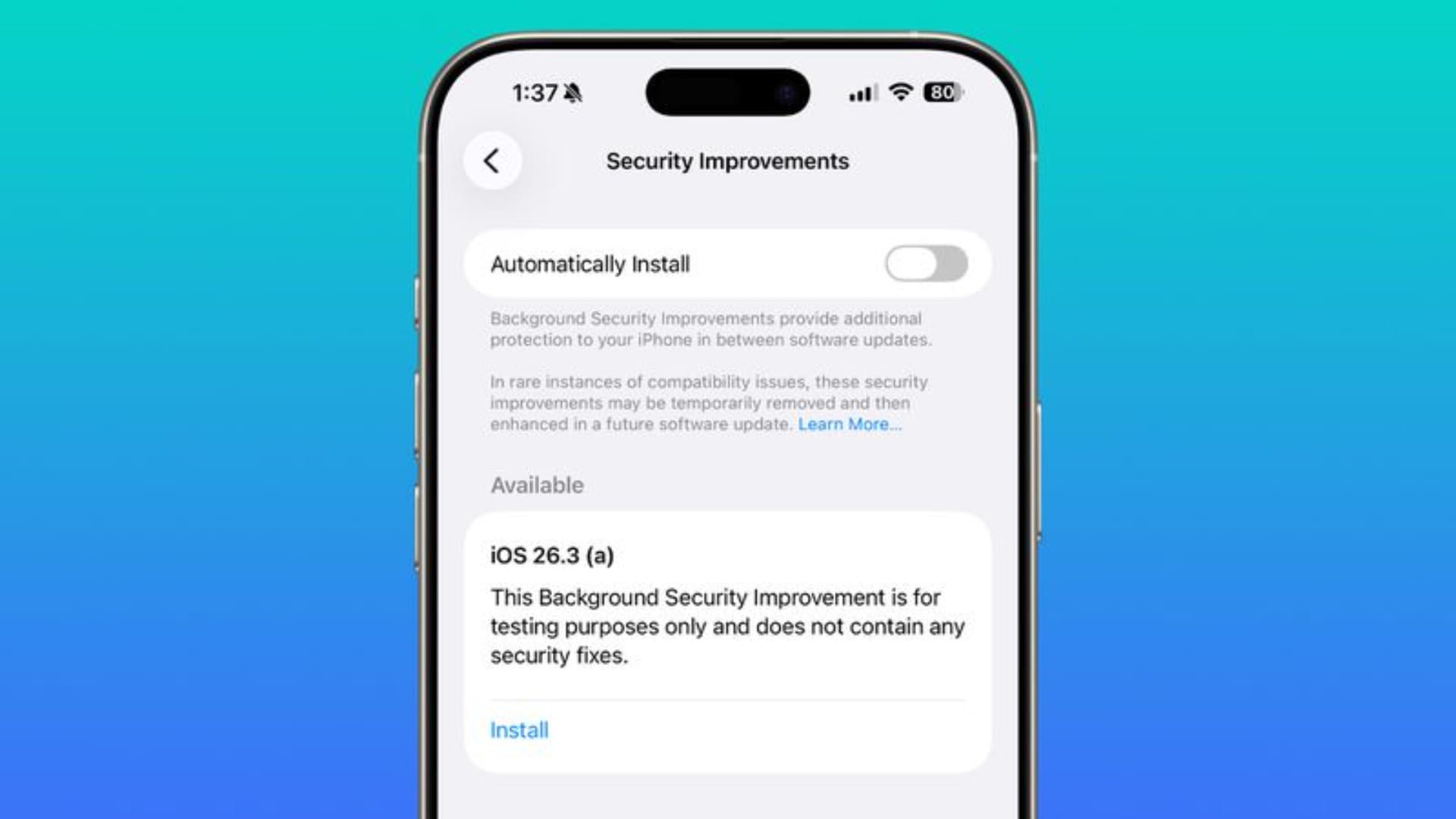
Apple is testing a Background Security Improvement feature that first appeared in iOS 26.1, iPadOS 26.1, and macOS Tahoe 26.1. This feature aims to provide additional security protections between regular software updates, covering Safari, WebKit, and other system libraries.
Developers and public beta testers running iOS 26.3, iPadOS 26.3, or macOS Tahoe 26.3 can now install a new Background Security Improvement update for testing purposes.
How It Works
Background Security Improvements can be installed by navigating to:
Settings → Privacy & Security → Background Security Improvements → Install
If Automatically Install is enabled, updates will be applied automatically when available.
Users who choose not to install these updates manually will receive them later as part of a standard software update.
Why This Matters
Apple previously offered Rapid Security Response updates starting with iOS 16, but the feature was rarely used and eventually phased out. At one point in 2023, a bug in Rapid Security Response caused display issues on some websites, prompting Apple to rethink its approach.
Potential Issues
Apple notes that Background Security Updates may occasionally cause compatibility problems. In such cases, updates could be temporarily removed and reissued in a future release.
Gillade du inlägget?
Dela det med någon som också kan tycka det är intressant.
Relaterade inlägg



Krämig Kasslerpanna (One Pan-ish)
Sugen på något lyxigt men har ont om tid? Den här krämiga kasslerpannan med pasta svänger du ihop på under 20 minuter! En perfekt vardagsräddare där rökt kassler möter en silkeslen gräddsås med tomat och vitlök. Enkel matlagning när den är som allra bäst.